Your team goals deserve a home. With AI.
The goal execution platform built around check-ins and AI. Understand what changed, what’s blocked, and where your team needs you.
Free during beta. No credit card.
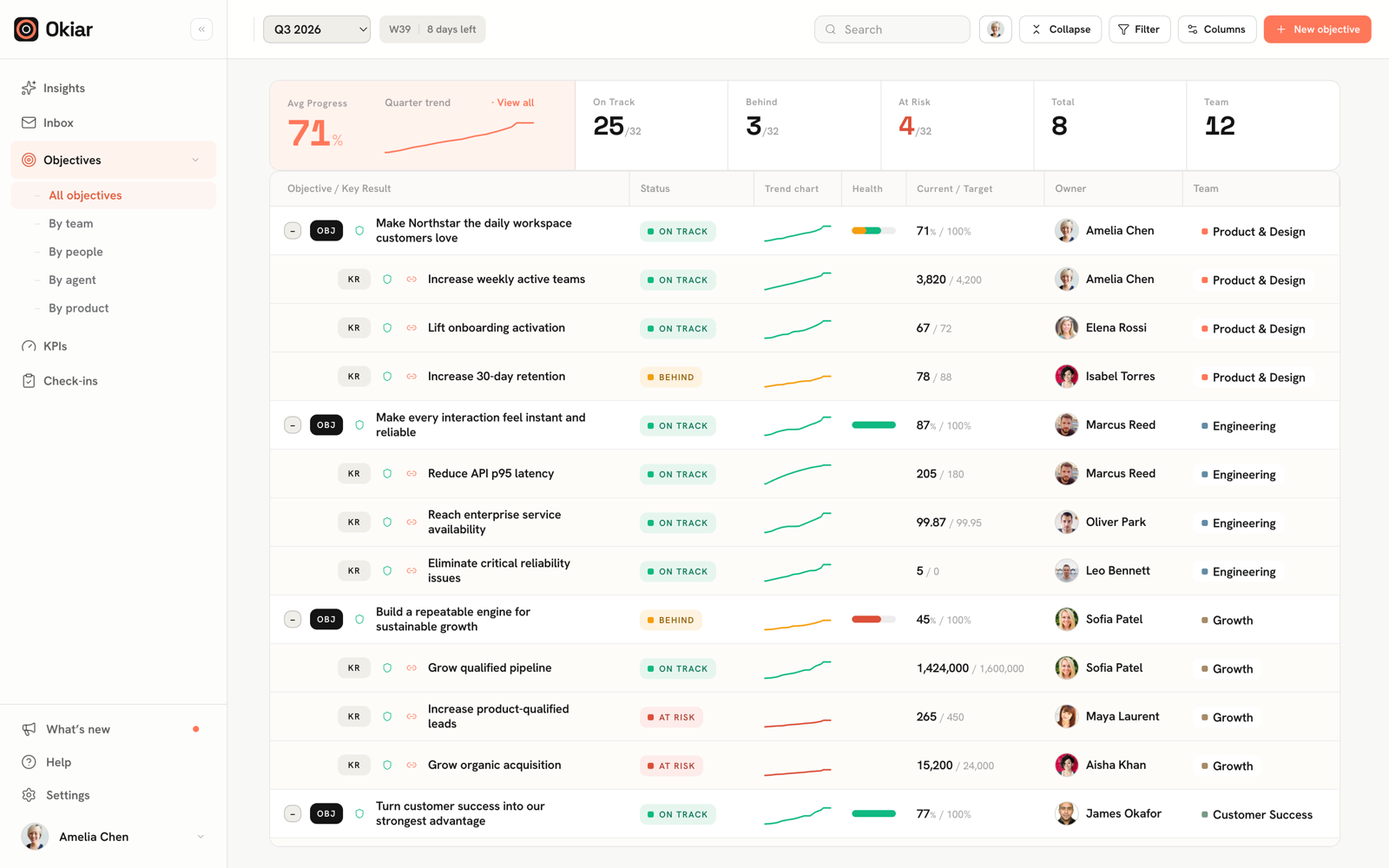
The big picture.
Every moving part.
Start with the whole company. Follow one goal. Then read the check-ins that turn a progress number into useful context.
Your team checks in.
AI connects the dots.
Voice and written check-ins give AI the context behind the numbers. Get a weekly summary, see what needs attention, and ask a better follow-up question.
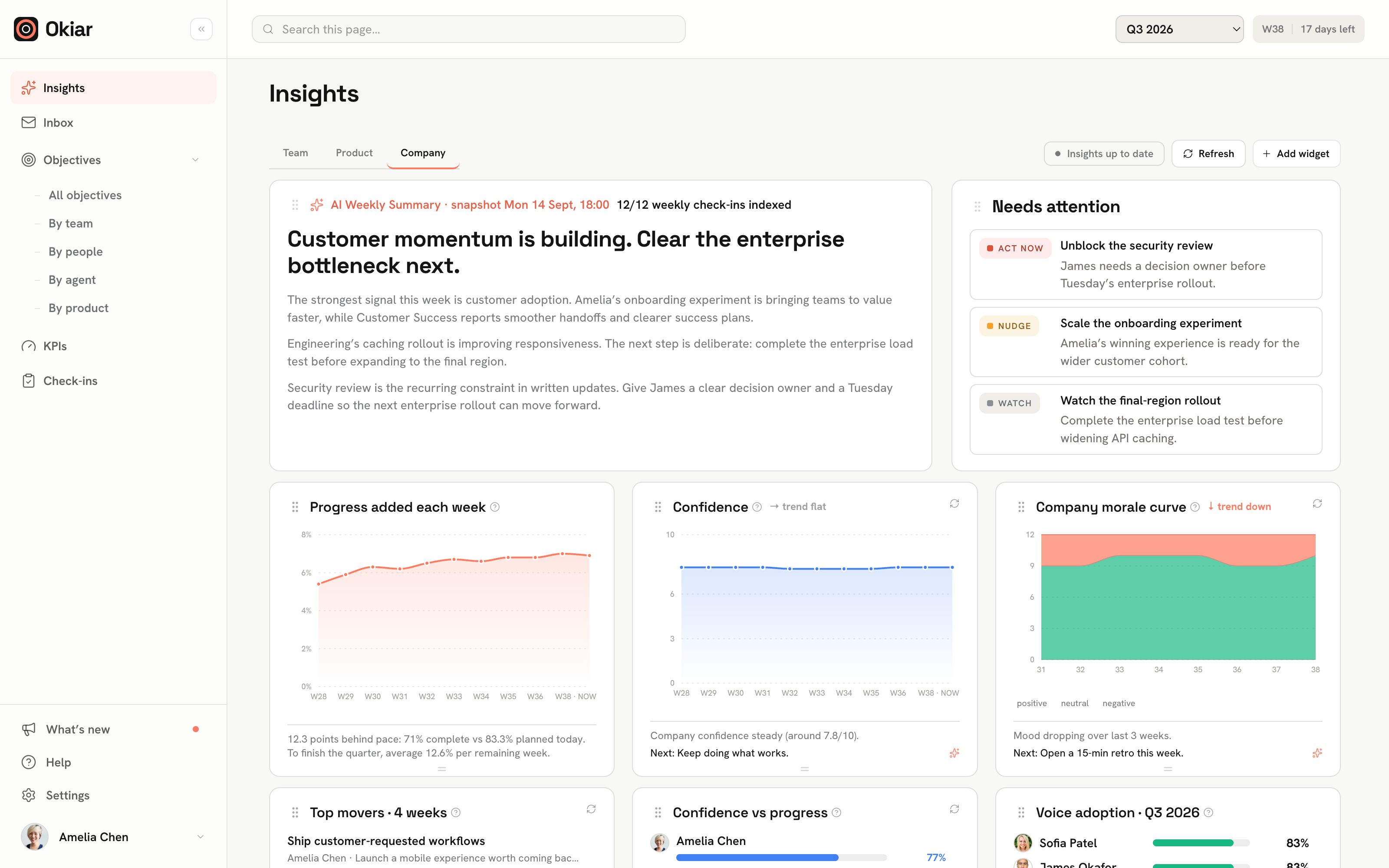
Your team checks in.
AI connects the dots.
Voice and written check-ins give AI the context behind the numbers. Get a weekly summary, see what needs attention, and ask a better follow-up question.
See the risk behind the number.
Pace, projections, confidence, and blockers bring the story behind a goal into focus.
Say what moved. Keep moving.
Capture a check-in by voice. Turn it into a clear update with progress, confidence, and what’s getting in the way.
Bring your AI to the work.
Connect compatible AI assistants through MCP to work with the goals and updates you’re allowed to access.
Same connected work.
Your point of view.
Start with a person, a product, a team, an objective, or a KPI. Find your way into the information without losing the bigger picture.
Latest check-in: Guided setup shipped
Latest check-in: Retention experiment shipped
Latest check-in: Enterprise validation complete
Okiar vs. old-school
goal tracking.
The difference is context.
Check-ins bring it in. AI makes it useful.
| The workflow | Traditional goal tracking | Okiar |
|---|---|---|
| Collect updates | Chase updates across meetings, messages, and spreadsheets. | Check in by voice or text. Keep progress, confidence, and blockers together. |
| Understand progress | A percentage tells you where the goal stands. | The number, its trend, and the check-ins tell you why. |
| Spot the risk | Review status labels and piece together the explanation. | Explore pacing, confidence, and recurring blockers in Insights. |
| Know where to act | Read every update and write the weekly recap yourself. | AI summarizes check-ins and surfaces what needs attention. |
| Ask a follow-up | Find the right person, document, or report. | Ask Okiar about the goals and check-ins behind the dashboard. |
| Keep context connected | Reassemble the story for each review. | Explore the same work by people, products, teams, objectives, or KPIs. |
Collect updates
Traditional tracking
Chase updates across meetings, messages, and spreadsheets.
Okiar
Check in by voice or text. Keep progress, confidence, and blockers together.
Understand progress
Traditional tracking
A percentage tells you where the goal stands.
Okiar
The number, its trend, and the check-ins tell you why.
Spot the risk
Traditional tracking
Review status labels and piece together the explanation.
Okiar
Explore pacing, confidence, and recurring blockers in Insights.
Know where to act
Traditional tracking
Read every update and write the weekly recap yourself.
Okiar
AI summarizes check-ins and surfaces what needs attention.
Ask a follow-up
Traditional tracking
Find the right person, document, or report.
Okiar
Ask Okiar about the goals and check-ins behind the dashboard.
Keep context connected
Traditional tracking
Reassemble the story for each review.
Okiar
Explore the same work by people, products, teams, objectives, or KPIs.
Good questions.
Straight answers.
Talk to us What makes Okiar AI-native?
AI is part of the execution workflow: capturing updates, interpreting progress, identifying blocker patterns, and helping your team understand where to act. It works with your goals and check-ins, so the context stays connected.
Is this for goals, KPIs, or both?
Both. Connect company objectives to team goals, measurable key results, and ongoing KPIs. Keep the outcome and the measures of success together.
Can we keep our own way of working?
Yes. Configure check-in templates, team cadence, and dashboards around the way your team works. Use weekly check-ins and mid-quarter reviews to keep the plan useful as things change.
Can our AI assistants work with Okiar?
Okiar supports MCP connections for compatible assistants, including Claude, ChatGPT, and Cursor. Access follows your role and team permissions; agent tokens have more restricted capabilities.
Is Okiar free?
Okiar is free during beta, with no credit card required. See the pricing page for the current offering and future plan information.
Your next chapter.
Already in motion.
Better check-ins. Richer context. An AI-native way to move your team’s goals forward.
Start executingFree during beta · No credit card required